
The S3 Brief · Issue 17 · AI Automation
n8n Security Best Practices After October Advisories
n8n released multiple security advisories on October 28, 2026. Follow these six steps to patch, limit access, and reduce risk in self-hosted workflow automation.


On October 28, 2026, n8n published multiple security advisories affecting self-hosted workflow automation platforms. If you run n8n to connect business systems and hold credentials, these flaws could expose your infrastructure. Here are six practical controls a lean team can execute this week.
What the October advisories mean for your business
A self-hosted n8n instance connects your business systems and stores the credentials that allow workflows to read or change data. A vulnerability in the platform itself can therefore put more at risk than the workflow alone: the host, the connected services, and the data they hold.
On October 28, 2026, n8n's official security-advisory repository published advisories including code execution through deprecated Code nodes and an insecure GraphicsMagick configuration. On October 29, 2026, the Canadian Centre for Cyber Security issued advisory AV26-1103, naming affected versions prior to 2.44.1 and 2.43.5.
If you expose webhooks to the internet, allow multiple staff or contractors to create workflows, or process files supplied by outside users, these flaws become more urgent. A small team often has limited bandwidth to track advisories and update infrastructure. Treat n8n as production infrastructure, not a convenience tool.
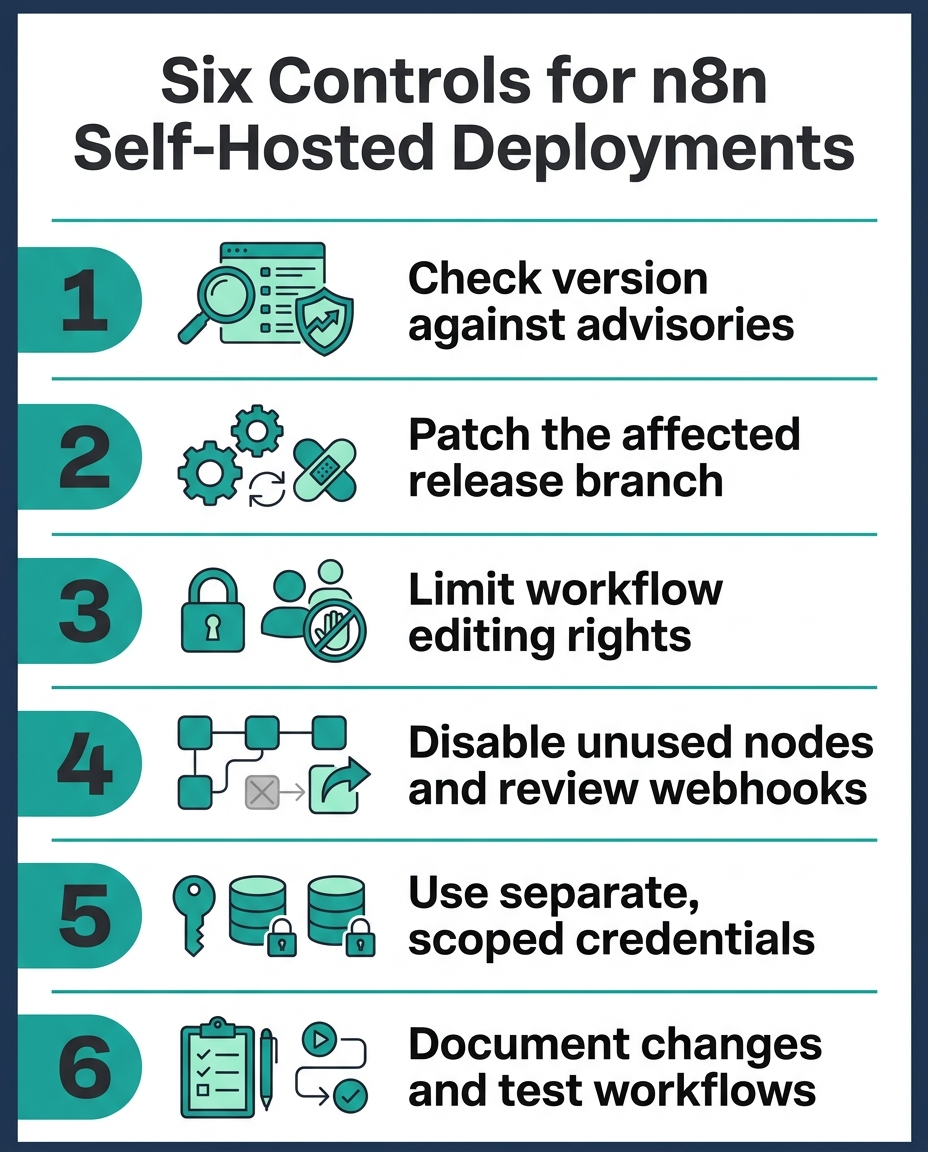
Six security controls you can deploy this week
These steps reduce risk and fit a lean team's capacity. They are not a substitute for a complete deployment-specific security review.
- Check your exact version and deployment type against each advisory in n8n's official security-advisory repository. Do not assume a single version number applies across all release branches.
- Patch promptly. For self-hosted deployments, schedule the update and confirm the deployed version includes the fix. If you use a hosted service, verify the provider has patched rather than assuming it.
- Limit workflow editing to trusted staff only. Review access when employees, contractors, or administrators change roles or leave.
- Disable unused nodes and avoid routing untrusted file uploads from public webhooks into file-processing or code-execution nodes. Review every public webhook workflow and its authentication.
- Use separate, narrowly scoped credentials for each integration where possible. Do not embed secrets in workflow text or execution logs. Review who can access credential records.
- Keep a simple record of the n8n version, patch date, relevant advisories, workflow owners, and risk-based exceptions. After updating, test critical workflows and check execution logs for unexpected failures.
Prioritize what to test first
After you patch, start with workflows that touch sensitive data or external systems. Test workflows that use the Code node, file uploads, OAuth credentials, or webhook authentication. Document the test date and outcome in your change record.
The October 28 advisories establish that flaws were reported and fixed. They do not establish whether your specific configuration is exposed. A deployment using only approved integrations with strict access controls carries lower risk than one open to multiple builders and external uploads.
Keep governance records for audit readiness
A lean GRC program tracks what you deployed, when you patched it, and who can access it. For n8n, record the version number, the date you applied each patch, the advisory identifier, the workflow owner list, and any exceptions you accepted with a business justification.
This record is your audit trail. When a regulator or auditor asks whether you responded to a known vulnerability, you have evidence. It also helps you spot access drift: if a contractor's workflow-editing rights are still active six months after they left, your records will show it.
Key takeaways
- n8n published multiple security advisories on October 28, 2026 affecting self-hosted deployments; check your version against each advisory and patch the affected release branch.
- Limit workflow editing to trusted staff, disable unused nodes, and avoid routing untrusted files into code or file-processing nodes.
- Use separate credentials for each integration, keep a change record, and test critical workflows after patching.
- Document your n8n version, patch dates, advisories, owners, and exceptions to build audit-ready governance in a lean program.
Use a security checklist to track n8n controls alongside your other AI and automation tools.
Sources
- Security Advisories - n8n
- n8n security advisory (AV26-1103) - Canadian Centre for Cyber Security
- n8n security advisory (AV26-1044) - Canadian Centre for Cyber Security
- n8n security advisory (AV26-985) - Canadian Centre for Cyber Security
- Security update, 14 October 2026 - n8n Community
- Security update, 01 October 2026 - n8n Community